Typology 03  •  Pedagogy & Research

Building the next generation of design capability.

C3D partners with schools of architecture, civil engineering, and design to embed studio-grade visualization, computational method, and hands-on construction practice directly into the curriculum.

Bridging the academy & the atelier
Digital 3D architectural wireframe and white clay model rendering showing light bounces and geometric tessellation
Plate I — Clay model study, Lab Semester 02
Architectural pencil sketch on yellow trace paper overlaid with axonometric ink drawings of a cantilevered courtyard house

From trace paper to physically based light — students learn the full arc of design communication.

Academic Programmes

Four ways we work with institutions

Each programme can stand alone or combine into a multi-year partnership shaped around your faculty's pedagogy.

01 domain

C3D Labs — Design Lab & Practice Yard

An on-campus design studio with render workstations, a VR bay, and a material library — paired with an eight-bay construction Practice Yard where students build at full scale, and a portable Tabletop Civil Lab for classrooms.

Infrastructure + Mentorship
02 menu_book

Curriculum Integration

Credit-bearing modules in architectural visualization, computational design, and daylight analysis — mapped to your existing studio and elective structure.

Semester Modules
03 school

Student Research Residencies

Selected students join live C3D commissions in Bengaluru and Dindigul — working alongside visualizers and architects on real briefs and real deadlines.

Industry Immersion
04 groups

Faculty Development

Intensive workshops that equip teaching staff with current rendering pipelines, real-time engines, and critique frameworks for digital work.

Workshops
Earthy textured architectural model made of warm plaster, lime wash, and untreated white oak on an architect desk with subtle sunlight
Material library & model bench Lab Plate II
Inside the Lab

A working atelier on campus.

Not a computer room. A studio where drawing, modelling, and rendering share one table.

Workstations
GPU render stations with industry-standard modelling and real-time engines
VR Bay
Room-scale review space for walking through student schemes at 1:1
Materials
Physical sample library — stone, timber, plaster, metal — paired with digital twins
Mentors
Weekly studio crits led by practising C3D architects and visualizers
New The C3D Practice Yard

Eight bays. One building cycle.

A hands-on construction training yard we design and set up on campus, where students move from drawing to material to structure — and learn by building.

Practice bays
08
Learning outcomes
48
Scale
1:1
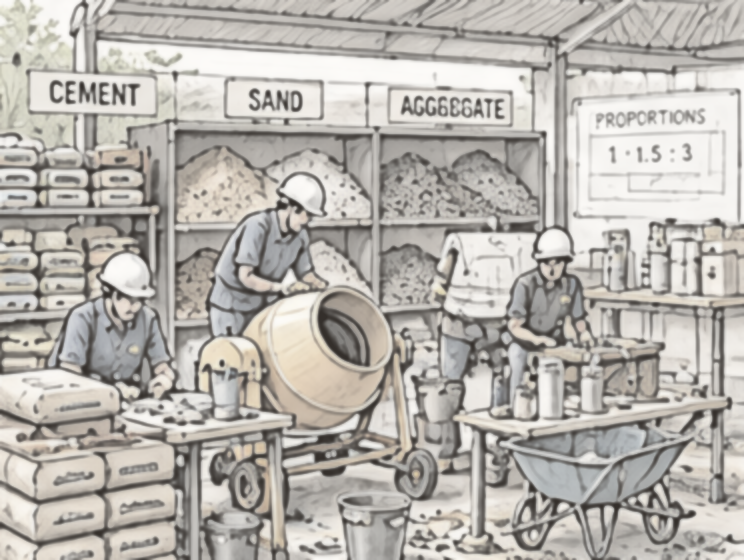
01 Materials & Mixing
Pencil sketch: Students sorting cement, sand and aggregate, operating a drum mixer, and testing samples at a workbench Bay 01

“Know your materials. Make the right mix.”

Students learn
  • Identify and handle construction materials
  • Understand cement, sand, aggregate, bricks and blocks
  • Material testing (sieve analysis, moisture content)
  • Concrete and mortar mixing (manual & mechanical)
  • Slump test and basic quality checks
  • Calculate quantities for given work
02 Masonry & Blockwork
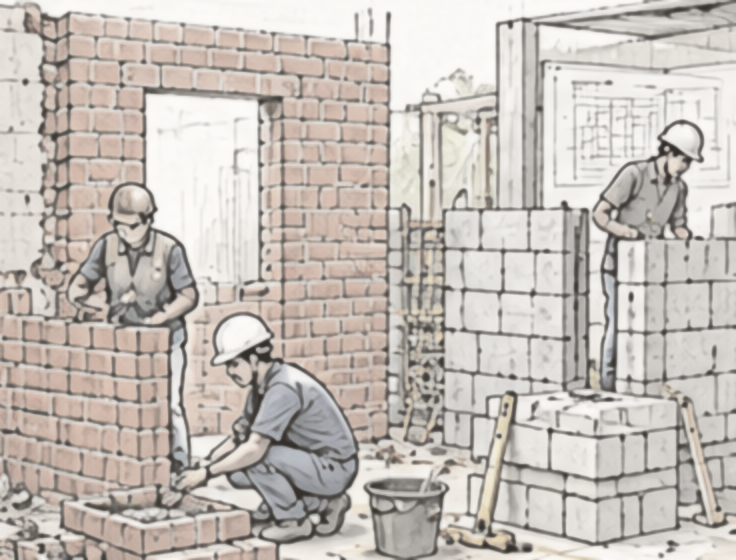
Pencil sketch: Students laying brick and concrete-block walls with openings and corners Bay 02

“Build strong. Build right.”

Students learn
  • Read drawings and set out work
  • Brick masonry in different bonds
  • Block masonry (hollow and solid blocks)
  • Wall junctions, corners and openings
  • Use of tools (trowel, line & level, plumb bob)
  • Quality checks (level, plumb, alignment)
03 RCC & Formwork
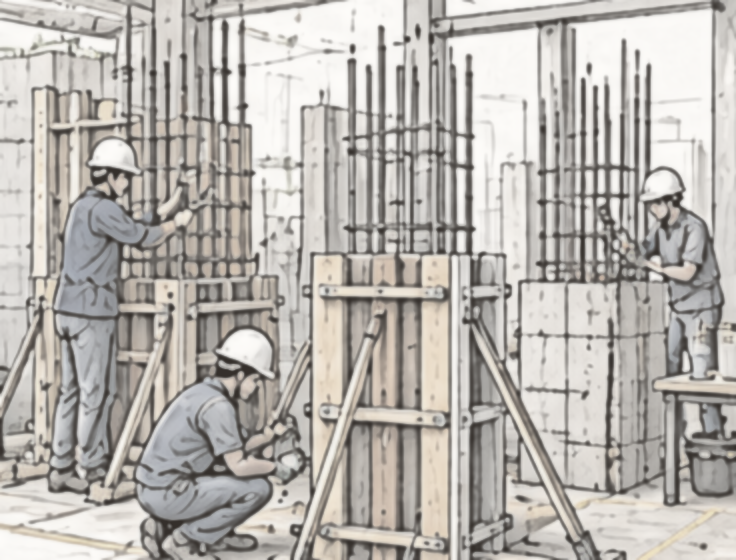
Pencil sketch: Students tying column reinforcement and erecting timber formwork with props Bay 03

“From drawing to structure.”

Students learn
  • Read structural drawings
  • Reinforcement detailing and tying
  • Formwork design and erection
  • Casting columns, beams and slabs (small elements)
  • Concrete compaction and curing
  • Strip formwork and inspect quality
04 Plastering & Finishing
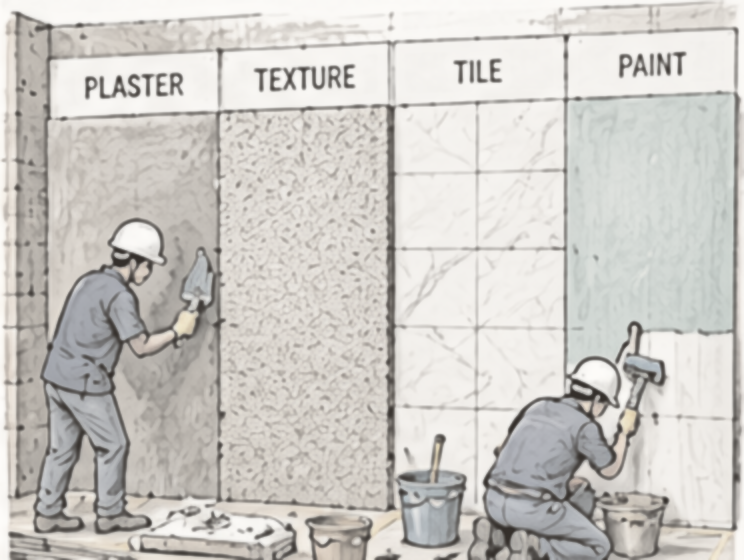
Pencil sketch: Students applying plaster and laying tiles on a wall with plaster, texture, tile and paint panels Bay 04

“Good surfaces. Better buildings.”

Students learn
  • Surface preparation
  • Internal and external plastering techniques
  • Tile laying (floor and wall)
  • Grouting and joint finishing
  • Painting processes (primer, putty, paint)
  • Surface quality and finishing standards
05 MEP Practice Wall
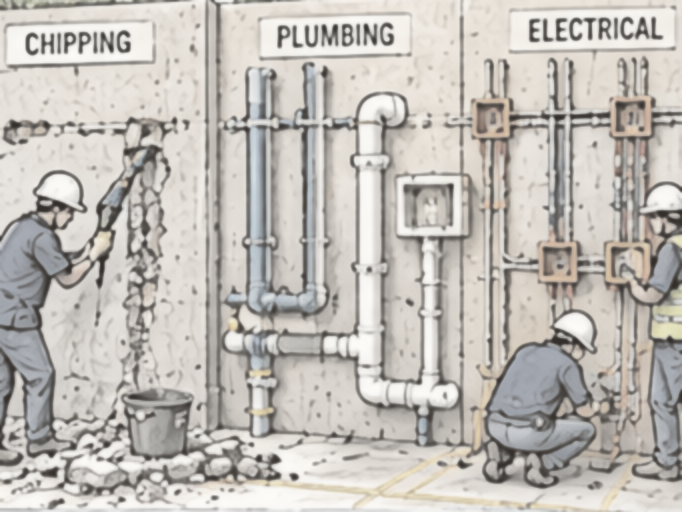
Pencil sketch: Students chipping a wall and installing plumbing pipes and electrical conduits and boxes Bay 05

“Chip. Install. Test. Make it work.”

Students learn
  • Safe chipping techniques
  • Routing for plumbing and electrical services
  • Install water supply and drainage pipes
  • Install electrical conduits, junction and switch boxes
  • Testing (leak test for plumbing, continuity for electrical)
  • Make good after installation (plaster / patch)
06 Testing & Quality Control
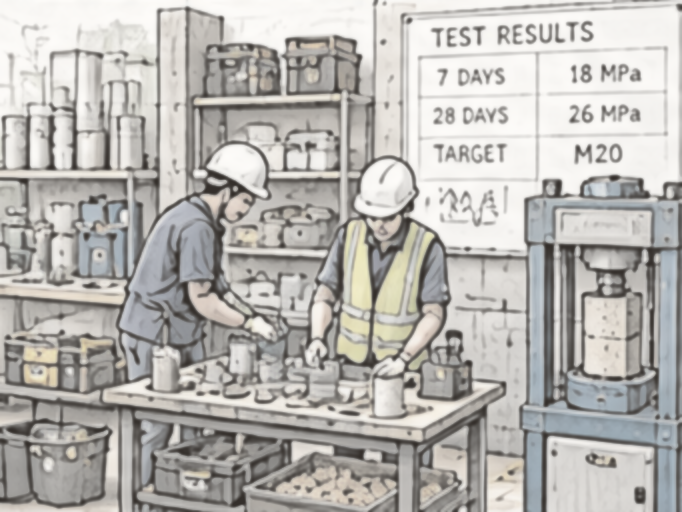
Pencil sketch: Students casting and crushing concrete test cubes beside a compression testing machine and a results board Bay 06

“Check today. Build better tomorrow.”

Students learn
  • Concrete cube casting and testing
  • Slump test and workability
  • Aggregate tests (sieve analysis, specific gravity)
  • Cement and mortar tests
  • Basic soil tests (as applicable)
  • Interpret test results and relate them to field quality
07 Demolition & Recovery
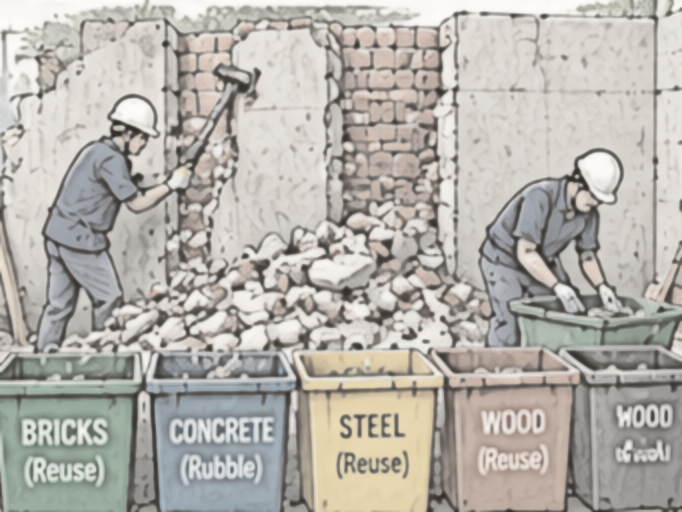
Pencil sketch: Students taking down a masonry wall and sorting debris into bins for bricks, concrete, steel and wood Bay 07

“Take apart. Learn more.”

Students learn
  • Safe demolition methods and sequence
  • Use of appropriate tools and PPE
  • Segregation of materials (brick, concrete, steel, wood)
  • Material recovery and reuse
  • Waste management and sustainability
  • Clean and reset the bay for the next team
08 Tools, Workshop & Site Practice
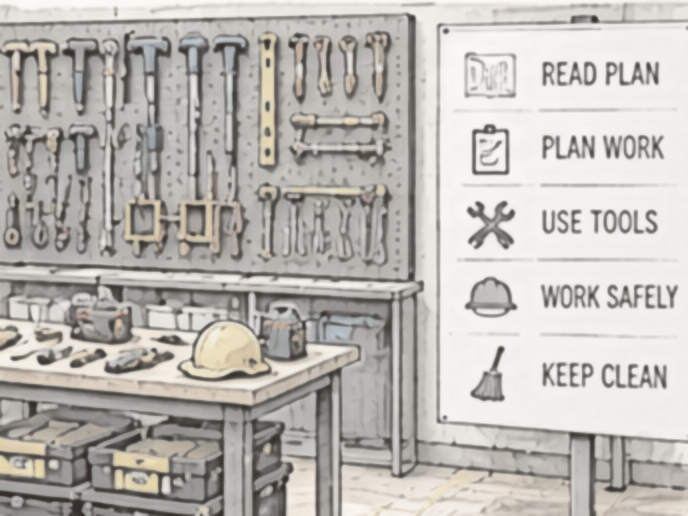
Pencil sketch: A workshop wall of hand tools above a workbench with toolboxes and a safety helmet, beside a site-practice checklist board Bay 08

“Tools, safety and site readiness.”

Students learn
  • Identify and use hand and power tools
  • PPE and safety practices
  • Site setup and housekeeping
  • Read and interpret construction drawings
  • Plan, estimate and organise work
  • Teamwork and site discipline

Suited to schools of architecture, civil engineering, and polytechnic programmes. Bays can be set up together or phased in over semesters.

Plan a Practice Yard arrow_forward
Highlight C3D Tabletop Civil Lab

A construction site on a 3 ft table.

Build · Chip · Install · Plaster · Finish · Learn

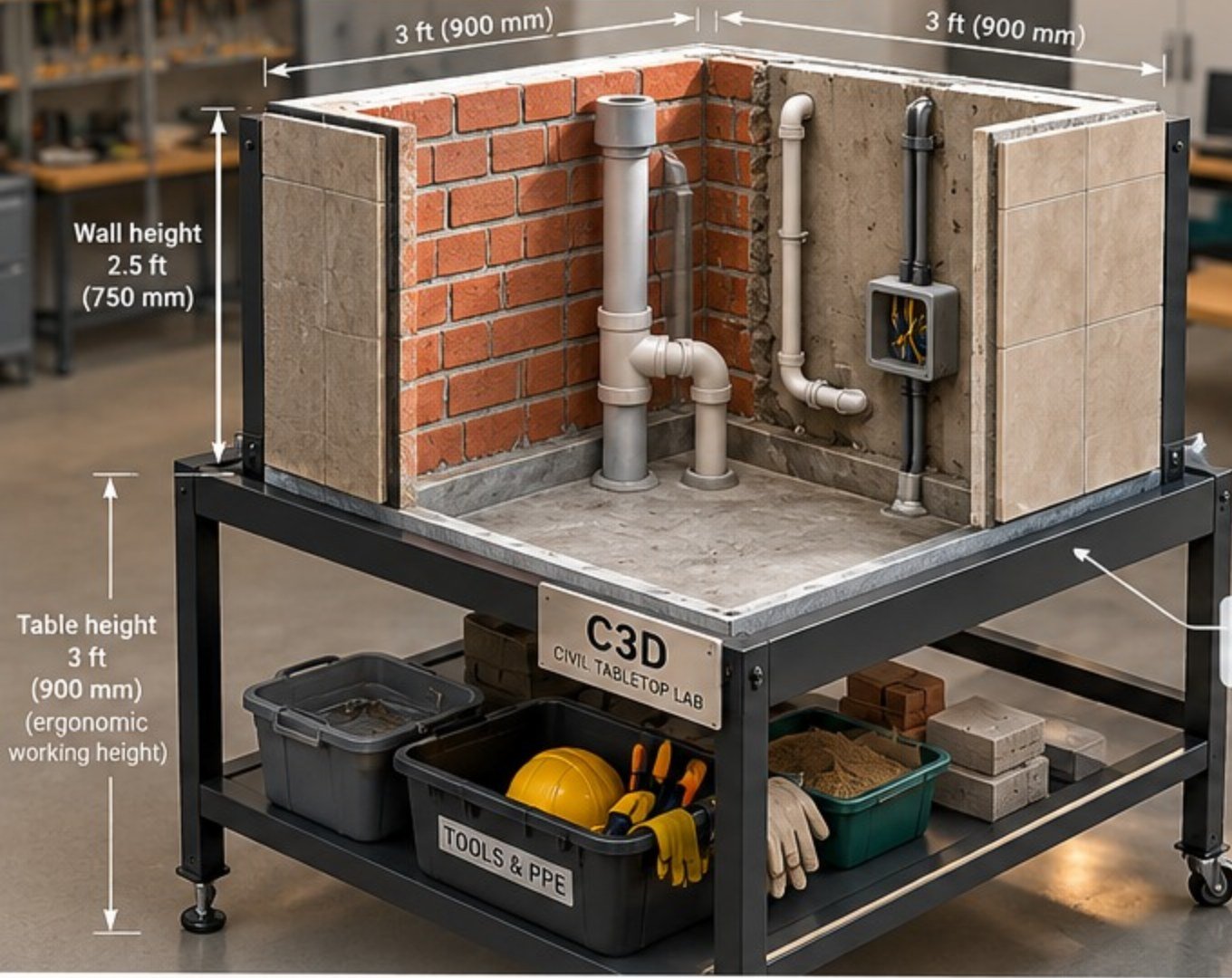
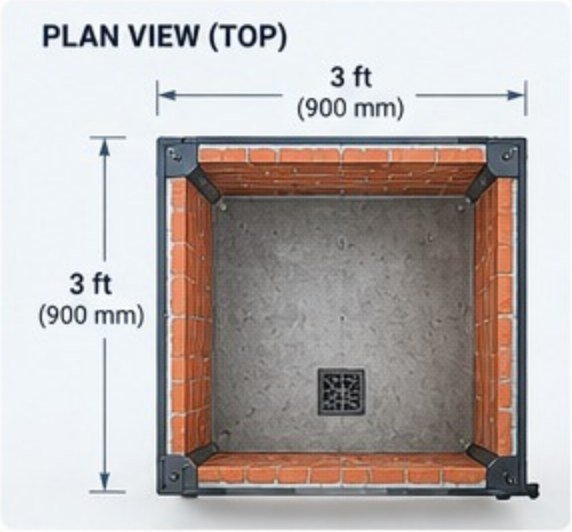
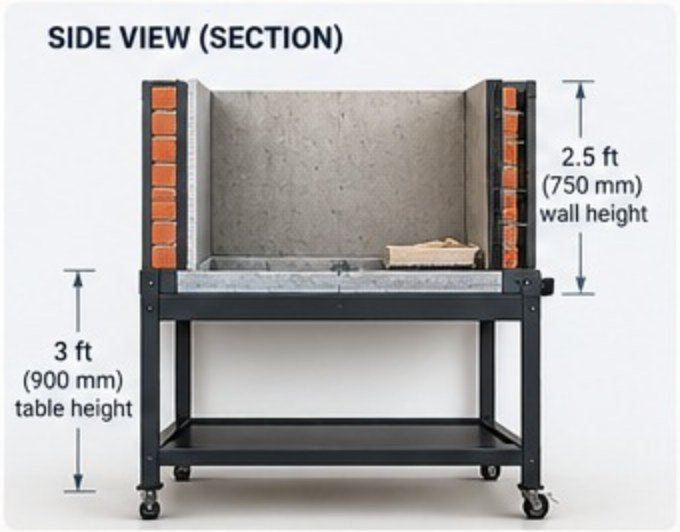
Not every campus has room for a full Practice Yard. The Tabletop Civil Lab brings the same hands-on learning into any classroom — a portable 3 ft × 3 ft workstation where small groups build real brick and block walls, chase and fit plumbing and electrical services, plaster, tile and paint them — then take it all apart and start again.

C3D Tabletop Civil Lab: a 3 ft by 3 ft steel workstation with brick and block walls, plumbing pipes, an electrical box and tiled panels on top, and a lower shelf holding tools, PPE and materials
Plan view: 3 ft by 3 ft footprint with brick walls on all sides and a floor drain
Plan view · 900 × 900 mm footprint
Side section: 2.5 ft wall height on a 3 ft high steel table with lower shelf and castors
Side section · 750 mm walls on a 900 mm table
Specifications
Footprint
3 ft × 3 ft (900 × 900 mm)
Wall height
2.5 ft (750 mm)
Table height
3 ft (900 mm) — an ergonomic standing work height
Base
Built-in tray with a drain for easy cleaning
Frame
Steel frame with detachable side panels, on castors
Storage
Lower shelf for tools, PPE and materials
Group size
2–4 students per station
Enquire about the Civil Lab arrow_forward
Key Features
crop_square

Compact

A 3 × 3 ft footprint that fits a classroom, workshop or corridor bay.

autorenew

Reusable & Resettable

Demolish, recover the materials and reset the station for the next batch.

groups

Hands-on, Small Groups

Every student gets tools in hand — 2–4 per station, not 40 around a demo.

verified_user

Safe & Controlled

Contained work area, built-in drain and PPE stored on the station.

open_with

Portable

Rolls on castors between rooms; detachable panels for reconfiguration.

meeting_room

Fits Anywhere

Suitable for classrooms, workshops and small spaces — no dedicated yard needed.

Ideal for Teaching
  • check_circleMasonry and blockwork
  • check_circlePlastering and surface preparation
  • check_circlePlumbing and drainage basics
  • check_circleElectrical conduit and switches
  • check_circleTiling and painting finishes
  • check_circleDemolition and material recovery
  • check_circleConstruction tools and safety
  • check_circleReading drawings and planning
Partnership Pathway

From first conversation to graduating showcase.

  1. Phase 01

    Consultation

    We meet faculty leadership to understand pedagogy, cohort size, and ambitions.

  2. Phase 02

    Curriculum Mapping

    Modules are aligned to your semester structure and accreditation outcomes.

  3. Phase 03

    Lab & Yard Setup

    Space planning, equipment, and safety fit-out for the Design Lab and Practice Yard bays.

  4. Phase 04

    Semester Delivery

    Co-taught studios, crits, and residencies run through the academic year.

  5. Phase 05

    Showcase

    A curated exhibition and digital folio of student work, open to industry.

Academic Enquiries

Bring the atelier to your campus.

Tell us about your school, your students, and what you would like them to be able to do. We'll respond with a tailored programme outline.